





















features-ottobock-design-elements-genium-x4
Design Elements for Genium X4 Materials
TPU (thermoplastic polyurethane)
Directions for Use
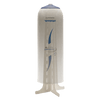
Position the Design Element over your Genium X4 prosthetic knee and secure it using the clip fastener. To remove, release the fastener and gently detach the cover. No tools required. The cover can remain attached while charging your Genium X4.
Care Instructions
Clean your Ottobock Design Element prosthetic cover using lukewarm water and a pH balanced prosthetic cleanser. Apply your prosthetic cleanser with a clean, soft cloth or sponge. Gently wipe the surface and dry thoroughly. If customized with paint, stickers, or decorative accents, follow the appropriate care instructions for those materials to preserve your design.
Precautions
Designed exclusively for the Ottobock Genium X4 prosthetic knee. Ensure the cover is securely attached and the knee's LED indicators remain visible. Always remove the cover before painting, decorating, or customizing. Do not cut apart or remove structural components, as this may compromise its stability. Inspect regularly for signs of damage or wear, and follow Ottobock's official instructions for proper use.
Ottobock Design Elements Prosthetic Cover Part Number (SKUs)
Design Elements Genium X4: 4Z196=X
Returns
If you're not completely satisfied with your Amputee Store purchase, you can return your eligible items within 90 days of the original ship date. Items in new condition (unopened/unworn/unwashed) can be returned for a full product refund less original shipping costs. Please read our complete return policy for further instructions.
Shipping
Ottobock Design Elements Genium X4 cover typically ships within 1-3 business days.
Product Packaging: Product Box