



















Ottobock
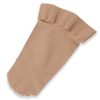
Ottobock Design Elements for Genium X4, Prosthetic Covers, Customizable look


Roll over image to zoom in

Roll over image to zoom in


Precision Fit: Designed exclusively for the Ottobock Genium X4.
Customizable Design: Personalize with paint, stickers, or decorative accents.
Lightweight & Flexible: Durable TPU material weighing approximately 7 oz (200 g).
Slim Profile: Just 2.5 mm thick for a sleek, discreet appearance.
Tool-Free Installation: Easily attach, remove, or swap covers with a clip-on design.
Charge Without Removing: Convenient charging access while the cover stays attached.
Sold each in box
Precision Fit: Designed exclusively for the Ottobock Genium X4.
Customizable Design: Personalize with paint, stickers, or decorative accents.
Lightweight & Flexible: Durable TPU material weighing approximately 7 oz (200 g).
Slim Profile: Just 2.5 mm thick for a sleek, discreet appearance.
Tool-Free Installation: Easily attach, remove, or swap covers with a clip-on design.
Charge Without Removing: Convenient charging access while the cover stays attached.
Sold each in box
Why settle for one look? The Ottobock Genium X4 Design Element lets you add a personal touch to your Ottobock prosthetic knee with a lightweight, customizable prosthetic cover designed to reflect your individual style. Your style. Your rules. Whether you prefer something bold and colorful, sleek and understated, or completely one of a kind, the Design Element gives you the freedom to switch things up whenever inspiration strikes.

Choose from seven distinctive colors, including five contemporary shades and two eye-catching high-gloss finishes:
Want to take things further? The Design Element features a surface specifically engineered for customization. Add paint, stickers, or decorative accents to create something uniquely yours. Match your outfit, celebrate a holiday, show off your favorite colors, or turn your cover into a piece of wearable artwork.
Looks aren't everything. The Design Element is made from flexible thermoplastic polyurethane (TPU) and precisely contoured to fit the Ottobock Genium X4. Weighing approximately 7 ounces (200 grams) and measuring just 2.5 mm thick, it offers a lightweight, slim profile that looks great on its own and fits discreetly beneath clothing.
Compatibility: Designed exclusively for the Ottobock Genium X4 microprocessor knee. Not compatible with other Ottobock microprocessor knee models.
A little color, a little creativity, and a whole lot of personality. Make your Genium X4 your own.


No tools, appointments, or technical expertise required. The convenient clip-on fastening system lets you attach and remove your Design Element yourself.
To install the Genium X4 Design Element, gently expand the front cover and slide it over the prosthetic knee joint, ensuring the retaining clips securely engage with the knee frame. Next, insert the back cover into the front cover, making sure the LED indicators on the back of the knee remain visible through the designated opening.
Keep a few different colors or designs on hand and change your look whenever you feel like it. Best of all, there's no need to remove the cover when charging your Genium X4.
Have product questions? We're here to help!
TPU (thermoplastic polyurethane)
Position the Design Element over your Genium X4 prosthetic knee and secure it using the clip fastener. To remove, release the fastener and gently detach the cover. No tools required. The cover can remain attached while charging your Genium X4.
Clean your Ottobock Design Element prosthetic cover using lukewarm water and a pH balanced prosthetic cleanser. Apply your prosthetic cleanser with a clean, soft cloth or sponge. Gently wipe the surface and dry thoroughly. If customized with paint, stickers, or decorative accents, follow the appropriate care instructions for those materials to preserve your design.
Designed exclusively for the Ottobock Genium X4 prosthetic knee. Ensure the cover is securely attached and the knee's LED indicators remain visible. Always remove the cover before painting, decorating, or customizing. Do not cut apart or remove structural components, as this may compromise its stability. Inspect regularly for signs of damage or wear, and follow Ottobock's official instructions for proper use.
Design Elements Genium X4: 4Z196=X
If you're not completely satisfied with your Amputee Store purchase, you can return your eligible items within 90 days of the original ship date. Items in new condition (unopened/unworn/unwashed) can be returned for a full product refund less original shipping costs. Please read our complete return policy for further instructions.
Amputee Store requires JavaScript to function properly. Please enable JavaScript in your browser settings to continue.
Visit enable-javascript.com for instructions on how to enable JavaScript in your browser.
